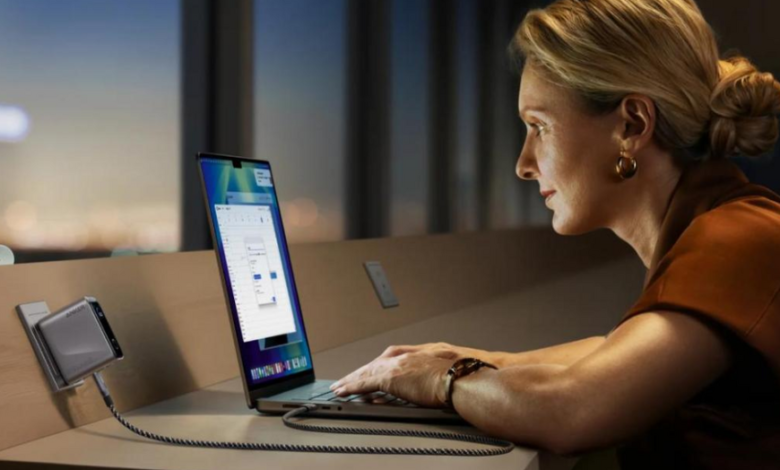
USB-C chargers are now the norm for powering and charging contemporary electronic gadgets. They are well-known for their reversible architecture and quick data transfer capabilities, making them an attractive option for a variety of devices. Due to its adaptability and efficiency, USB-C has replaced earlier charging connectors such as USB-A and micro-USB on smartphones and laptops. This tutorial will go over what distinguishes USB-C chargers, what features to look for when purchasing one, and how to ensure compatibility with your devices. Understanding USB-C technology is vital for maximizing its potential and improving your charging experience.
What Is a USB-C Charger and How Does It Work?
A USB-C charger employs a USB Type-C connection, a ubiquitous and small interface that enables quicker data transfer, charging, and video output. Unlike prior USB versions, USB-C connections are reversible, which means they may be connected in any direction, making them more user-friendly. The charger works by transferring electrical current to the device’s battery via the USB-C connector. USB-C also provides increased power delivery (PD), allowing devices to charge faster than previous USB specifications. Furthermore, USB-C can carry data at significantly faster speeds, making it an excellent alternative for devices that require both charging and data syncing.
What Should You Look for in a Good USB-C Charger?
Wattage and Charging Speed
The wattage is an important thing to think about when picking a USB-C charger. The gadget can charge quickly if it has more watts. For example, most smartphones need between 18W and 30W for the best charging, whereas laptops may need 60W to 100W. A charger with more watts can charge your device faster, but you need to be sure that your device can handle the wattage. If you use a charger that isn’t suitable, it might harm your device. Find chargers that offer USB Power Delivery (PD), which changes the amount of power it sends out based on the device it’s connected to. Choosing a higher-wattage charger that supports PD makes sure it will work with your devices and will meet your charging demands in the future.
Safety Certifications and Protection Features
Safety certifications are required to ensure that your USB-C charger runs safely and effectively. Look for certifications such as UL (Underwriters Laboratories), CE (Conformité Européenne), and FCC (Federal Communications Commission) to ensure that the charger satisfies safety requirements. A decent charger should also include built-in safety features, including overcurrent, overvoltage, and short-circuit protection. These features protect against overheating and potential harm to both the charger and your device. In addition, surge protection protects against power fluctuations, adding an extra degree of security. Always use chargers from recognized companies that have explicit safety criteria and built-in safeguards to keep your gadgets secure.


Port Types and Multi-Device Support
USB-C chargers come in a variety of styles and port layouts. Some chargers include a single USB-C connector, while others have numerous USB-A and USB-C connections for flexibility. If you need to charge many devices at once, search for chargers with various ports that can handle multiple connections. Furthermore, some multi-port chargers include ports with varied wattages, allowing for effective power distribution. Multi-device compatibility is great for customers who need to charge their phone, tablet, and laptop at the same time. When selecting a multi-port charger, evaluate the overall power output and whether it can properly distribute electricity to all connected devices without delaying charging pace.
See also: Working with a Fountain Tech Company: A Complete Guide for Property Owners

Are USB-C Chargers Compatible with All Devices?
Phones, Tablets, and Laptops
USB-C chargers are extensively compatible with smartphones, tablets, and laptops, which now rely largely on USB-C ports for charging and data transfer. Many recent smartphones, especially Android handsets, use USB-C because of its quick charging capabilities and universal compatibility. Tablets, notably iPads and Android devices, employ USB-C for both power delivery and rapid data sync. Laptops, particularly ultrabooks and newer models, are increasingly using USB-C as their primary charging connector. However, not all gadgets will support the same charging rates or power requirements, so be sure your charger satisfies each device’s exact voltage and wattage specifications.
Gaming Consoles and Accessories
Gaming consoles, such as the Nintendo Switch, and different gaming accessories have also adopted USB-C charging, with the Switch depending on a USB-C charger for both power and data transfers. Some gaming equipment, such as controllers and wireless headphones, is intended to charge over USB-C for quicker recharge times and more efficient power use. However, not all gaming devices use USB-C completely; some still use proprietary charging cords. When purchasing a USB-C charger for gaming devices, ensure that it meets the device’s unique power supply needs to avoid delayed charging or incompatibility. USB-C is becoming more prevalent, but always ensure compatibility before purchase.
How to Check Device Requirements
Check the manufacturer’s specs for your device’s charging needs, such as voltage and wattage, to make sure they are compatible. You may usually find this information in the device’s handbook or on the manufacturer’s website. Make sure the USB-C charger you purchase can give the right amount of power (PD) and the right output for your device’s battery for smartphones, tablets, and laptops. It’s vital to pick a charger that can provide the right amount of power because some gadgets, like laptops or high-power tablets, may need more watts. It won’t hurt the gadget to use a charger with more watts than it needs, but it might take longer to charge or not charge at all if you use a charger with too little power.
Conclusion
USB-C chargers offer a reliable, fast, and versatile charging solution for a variety of modern devices. By understanding key features like wattage, safety certifications, and port types, you can choose the best usb charger to meet your needs. Before buying a charger, make sure it is compatible with your devices in order to prevent performance problems. Investing in a high-quality, multipurpose USB charger helps future-proof your charging setup as USB-C continues to replace outdated charging standards, offering effective power delivery for a variety of devices. In the end, a quality USB-C charger makes charging easier while improving the functionality of your smartphone as a whole.